@henryqw/pi-ask-question


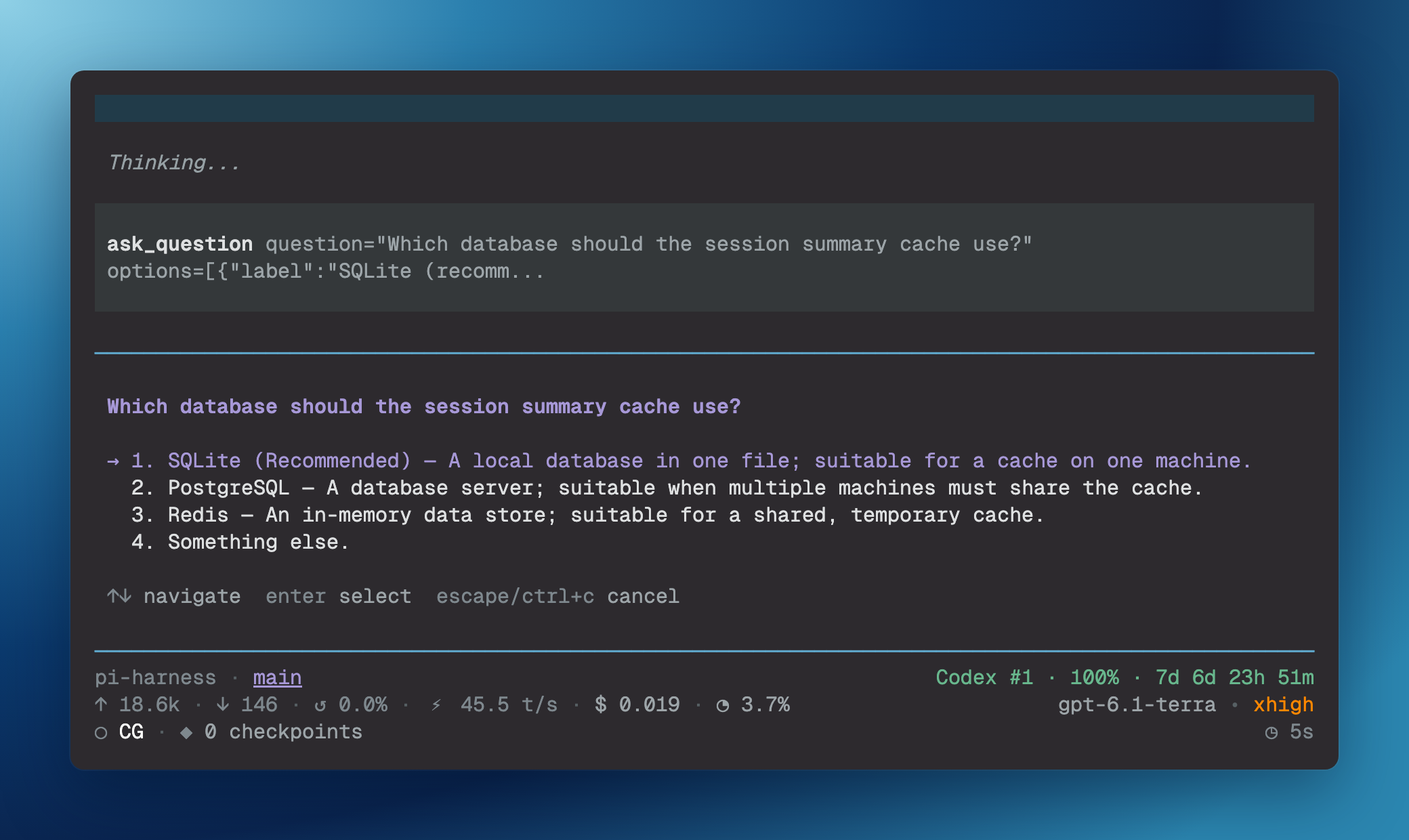
Pause Pi to collect answers to one question or a list of questions. The user selects a question option with the keyboard or enters a custom answer.
Install
pi install npm:@henryqw/pi-ask-questionUse
Ask Pi to let you choose; it calls ask_question. In an interactive text user interface (TUI), the tool takes a question and one to three options in preference order. Pi waits for the selected option or custom answer.
{
  "question": "Which database should we use?",
  "options": [
    { "label": "PostgreSQL", "description": "Shared server database" },
    { "label": "SQLite", "description": "Local, embedded storage" },
    { "label": "File", "description": "Plain file storage" }
  ]
}
The user interface marks the first option (Recommended) and adds Something else. for custom text input. Descriptions are optional.
To collect several answers in one tool call, use questions instead of the top-level question and options fields:
{ "questions": [{ "question": "Which database?", "options": [{ "label": "SQLite" }] }, { "question": "Where are backups?", "options": [{ "label": "Local disk" }] }] }The list must not be empty. Do not mix the two request forms. The tool validates all questions before the first dialog, then asks them in list order.
Cancellation or abort stops the list, and earlier answers remain in answers.
Invalid questions, non-interactive calls, and dialog failures include error. For list requests, these failures set the tool result’s isError to true.
While a question or list is open, the tool publishes herdr:blocked with Input required. Completion, cancellation, or failure clears the status. Non-interactive calls do not publish this status.
API
The application programming interface (API) is available from the package root, @henryqw/pi-ask-question.
| Surface | Type | Purpose |
|---|---|---|
askQuestion(params, ctx, signal) |
function | Runs the validated single-question flow for another extension. |
askQuestions(questions, ctx, signal) |
function | Validates a question list, then asks each question in order. |
AskQuestionOption |
type | Describes a question option. |
AskQuestionRequest |
type | Describes a question request. |
AskQuestionResult |
type | Describes the single-question result. |
AskQuestionsResult |
type | Contains list answers, cancellation state, and an optional error. |
For askQuestion, the answer is null for cancellation, abort, empty custom input, invalid requests, or non-interactive calls. Invalid requests and non-interactive calls also include error. The helpers use the same list ordering and cancellation rules as the tool.
Limits and recovery
Questions and option labels must not be blank. Labels must be unique, without regard to case. Something else. is reserved for the custom answer option.
Non-interactive calls return UI not available (running in non-interactive mode). Ask in plain assistant text instead. Abort closes the pending question and stops any remaining questions.